NoSQL vs SQL Explained for Beginners: The Ultimate Guide
Choosing a database architecture is usually one of the most stressful parts of kicking off a new software project or web application. Pick the wrong one, and you could be staring down the barrel of nasty performance bottlenecks, scaling nightmares, or painful data migrations later on. If the endless tug-of-war between relational and non-relational databases leaves you scratching your head, don’t worry—you aren’t the only one.
If you’ve ever felt buried under technical jargon, take a breath. Getting the core concepts of NoSQL vs SQL explained for beginners is your very first step toward building web apps that are scalable, fast, and rock-solid. In this comprehensive guide, we’ll strip away the confusing buzzwords. We will look at exactly how these two database types differ, why those differences actually matter, and how to confidently pick the right one for your next project.
Why This Problem Happens: Getting NoSQL vs SQL Explained for Beginners
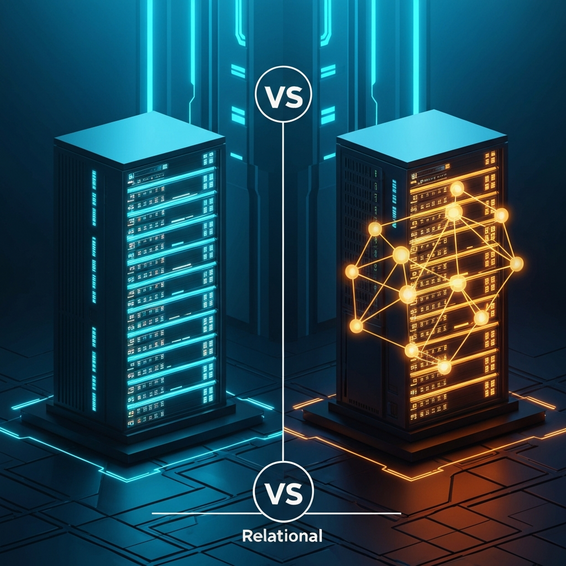
The whole SQL vs NoSQL debate usually trips people up because the two systems handle data in completely different ways. Beginners often hit a wall when they try to force the rules of one system onto the other. Think of SQL databases as highly organized filing cabinets. They are relational, which means they rely on structured tables with predefined schemas. This setup is amazing for keeping your data perfectly accurate and consistent, but it can feel like a straightjacket if your app’s data structure needs to change on the fly.
NoSQL databases, on the flip side, are non-relational and incredibly flexible. Instead of rigid tables, they store information in formats like JSON documents, key-value pairs, wide columns, or even graph structures. This adaptability is a huge selling point for modern applications dealing with unpredictable or constantly changing data. The trouble usually starts when developers pick a database just because it’s trending, rather than checking if it actually fits what their project needs.
Then there is the scaling factor. Relational databases traditionally scale vertically. To handle more traffic, you essentially have to beef up your single server by throwing more RAM or CPU at it. Non-relational databases, however, are built for horizontal scaling. If you need more power, you just link up additional, standard servers to your database cluster to easily distribute the workload.
Quick Fixes: Basic Solutions for Choosing Your Database
Need to make a smart choice fast without getting bogged down in database theory? Stick to these core principles. Working through these actionable steps will help you figure out the best foundation for your app’s data layer.
- Analyze your data structure: Do you have highly structured, predictable data that relies on complex relationships (like an accounting or inventory system)? Go with SQL. Dealing with massive amounts of unstructured data, big data analytics, or need to prototype rapidly? NoSQL is your friend.
- Assess your scaling needs: If you are designing a massive, globally distributed app that needs to spread data across multiple servers worldwide, NoSQL’s horizontal scaling is tailor-made for you. But if you are expecting moderate traffic that a single, beefy server can easily handle, SQL works perfectly.
- Evaluate ACID compliance requirements: Building an app that processes financial transactions or strict inventory counts? You absolutely cannot compromise on data integrity. You need the strict guarantees of ACID (Atomicity, Consistency, Isolation, Durability) compliance that SQL naturally provides.
- Check your ecosystem: Sometimes, the choice is made for you. If you are building a standard WordPress site, for example, you are inherently tied to MySQL or MariaDB by default. If you are working with an existing setup, take a look at our guide to database optimization to squeeze the best performance out of it.
Advanced Solutions: A Developer’s Perspective
For seasoned developers and DevOps engineers, the database conversation goes way beyond “tables versus documents.” It is really a debate about architectural patterns, distributed systems design, and the CAP theorem. In short, the CAP theorem dictates that a distributed data store can only guarantee two out of three things at the same time: Consistency, Availability, and Partition tolerance.
Most relational databases are built to prioritize Consistency and Availability. This makes them brilliant for single-server setups, but notoriously tricky to partition across external networks. NoSQL databases, on the other hand, usually favor Availability and Partition tolerance (AP) or Consistency and Partition tolerance (CP). Take MongoDB, for instance, which can be fine-tuned for strong consistency across nodes, while something like Apache Cassandra is heavily geared toward high availability.
When things get really advanced, you will likely run into sharding—the process of splitting your data horizontally across several machines. Sure, you can theoretically shard a PostgreSQL database, but it is a massive headache that demands heavy operational upkeep. NoSQL databases were basically born to handle sharding natively, making them the standard choice for huge data ingestion pipelines or real-time web analytics.
Best Practices for Database Management
No matter which route you take, sticking to industry best practices is non-negotiable if you want your app to stay fast and secure. Truth be told, a badly configured NoSQL setup will crash and burn just as fast as a poorly optimized SQL database.
- Master your indexes: It does not matter if you are running MySQL or MongoDB; proper indexing is the secret sauce for lightning-fast queries. Always make sure to index the fields you frequently use for searching, sorting, or complex joins.
- Secure your endpoints: Never, ever leave your database port open to the public internet. Lock things down using firewalls, Virtual Private Clouds (VPCs), and strict authentication. Also, shield your app from SQL injection attacks by relying on prepared statements or a solid ORM.
- Automate your backups: Set up automated, point-in-time backups to save yourself from devastating data loss. More importantly, test your restore process regularly! A backup is entirely worthless if you cannot figure out how to restore it when everything is on fire.
- Monitor performance metrics: Keep a watchful eye on your memory consumption, CPU usage, and slow query logs. Identifying a sluggish query early on can save your database from collapsing during a traffic spike. For a deeper dive into infrastructure tracking, read through our DevOps monitoring tools overview.
Recommended Tools and Resources
Ready to get building? Here are a few industry-favorite tools and platforms we regularly recommend. Leaning on managed services like these can take a massive amount of administrative DevOps stress off your plate.
- DigitalOcean Managed Databases: An awesome pick for both beginners and veterans. They provide fully managed PostgreSQL, MySQL, and MongoDB environments complete with automated backups and painless scaling. Try DigitalOcean and get free hosting credits.
- Amazon Web Services (AWS): When you need true enterprise-level scaling, AWS is a powerhouse. They offer Amazon RDS for your traditional relational setups, alongside Amazon DynamoDB if you need a blazing-fast, managed NoSQL solution.
- Redis: When absolute speed is the priority, Redis is an incredibly popular in-memory NoSQL data store. It is used everywhere as a high-performance database, caching layer, and message broker.
- TablePlus: A fantastic, beautifully designed native GUI tool. It lets developers securely manage both SQL and NoSQL databases from one unified desktop application.
Frequently Asked Questions (FAQ)
Is NoSQL faster than SQL?
Not automatically. NoSQL can definitely outpace SQL in specific scenarios, like dumping massive amounts of unstructured data or running simple key-value lookups. But if you are running complex queries that tie multiple data relationships together, a well-indexed SQL database is almost always going to win the race.
Should I use NoSQL for a WordPress site?
Short answer: no. WordPress was built from the ground up to run exclusively on relational databases (specifically MySQL or MariaDB). While there are some experimental plugins out there that try to jam NoSQL into the mix, sticking to standard SQL is mandatory if you want platform stability, working plugins, and core functionality.
Can SQL and NoSQL be used together in one app?
Yes, absolutely! This is actually called a “polyglot persistence” architecture, and it is incredibly common. A modern web app might use PostgreSQL to handle user accounts and billing (SQL), while simultaneously using MongoDB to manage a flexible product catalog and Redis to handle session caching (NoSQL).
Which database type is easier to learn for a complete beginner?
Generally speaking, SQL has a friendlier learning curve because its query language reads a lot like plain English. If you have ever organized data in a Microsoft Excel spreadsheet, the concept of tables, rows, and columns will feel very natural. NoSQL usually requires a slightly firmer grasp of JSON arrays and object-oriented programming concepts.
Conclusion
Picking a database architecture does not have to feel like a spin at the roulette wheel. Once you understand the core differences—how they structure data, handle server scaling, and guarantee data integrity—you can design your next big project with total confidence. Having NoSQL vs SQL explained for beginners gives you the knowledge to make smart, technical decisions based on what your app actually needs, rather than blindly chasing the latest industry trends.
To wrap it all up: if your project demands highly structured data, complex relational queries, and non-negotiable ACID compliance, stick with a trusty relational database like MySQL or PostgreSQL. But, if you need the freedom of a flexible schema, lightning-fast development cycles, and the ability to scale horizontally for massive amounts of unstructured data, a non-relational database like MongoDB is the clear winner. Take the time to evaluate your data needs carefully, test out managed hosting solutions, and never treat database security as an afterthought.
About the Author