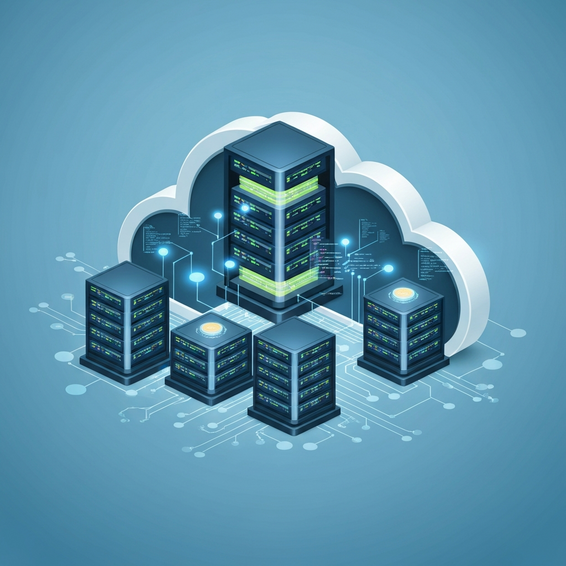
Cloud Architecture Basics Explained: A Complete Guide
Trying to wrap your head around servers, databases, and networking in a remote environment? If so, you’re definitely not alone. Making the leap from traditional on-premises infrastructure to a modern cloud setup can easily feel overwhelming, even for seasoned developers, system admins, and IT professionals.
Too often, teams rush into a cloud migration before truly understanding how all the underlying puzzle pieces fit together. The result? Bloated monthly bills, sluggish app performance, and glaring security gaps that could have been completely avoided. Without a solid blueprint to guide you, your shiny new cloud environment can quickly devolve into a tangled web of disconnected services.
In this comprehensive guide, we’ll get the cloud architecture basics explained from the ground up. Whether you’re just starting out as a DevOps engineer or stepping up as a tech lead, you’ll walk away with a firm grasp of the core components required to build a secure, highly scalable, and cost-effective cloud infrastructure.
Why Getting Cloud Architecture Basics Explained Prevents Chaos
A lot of organizations run into complete chaos simply because they treat the cloud exactly like a physical data center. This fundamental misunderstanding is exactly why so many poorly planned deployments fall short of their promised agility and cost savings. Simply “lifting and shifting” legacy applications without taking the time to refactor them rarely pans out.
At a technical level, the root cause usually boils down to ignoring basic cloud computing principles. In a traditional physical data center, you naturally buy hardware designed to handle peak loads. But if you bring that same over-provisioning mindset into the cloud, you’re setting yourself up for shockingly high, unnecessary monthly bills. Resources end up running around the clock, even during hours when traffic is practically non-existent.
On top of that, cloud environments are inherently distributed. When development teams don’t fully grasp the essentials of network routing, Virtual Private Clouds (VPCs), or robust Identity and Access Management (IAM), the entire architecture becomes incredibly fragile. In these setups, a single failure in one dependent service can easily take down the whole application stack, leading to frustrating and prolonged downtime.
Quick Fixes: Grasping the Core Cloud Components
If you want to steer clear of these common migration pitfalls, your first step is to master the foundational building blocks. Every major cloud provider on the market—whether it’s AWS, Microsoft Azure, or Google Cloud Platform (GCP)—relies on these exact same core components. Let’s break them down into simple, actionable concepts.
- Compute Resources: Think of this as the brain of your overall architecture. Virtual Machines (VMs)—like AWS EC2 or Azure VMs—deliver the raw processing power needed to keep your applications running smoothly. You have the flexibility to scale these instances vertically by beefing up the CPU and RAM, or horizontally by spinning up additional server instances.
- Cloud Storage: Unlike your standard physical hard drives, cloud storage is incredibly scalable and inherently redundant. Object storage (such as Amazon S3) is ideal for housing unstructured data like images, videos, and daily backups. Meanwhile, block storage functions more like a traditional primary drive attached directly to your compute instances, guaranteeing fast, reliable data retrieval.
- Networking Components: Your cloud network acts as the secure connective tissue between all your resources. You’ll rely on Virtual Private Clouds (VPCs) to safely isolate your environment from the outside world. From there, elements like subnets, route tables, and API gateways step in as digital traffic controllers, making sure data flows securely and efficiently between your internal servers and the public internet.
- Managed Databases: Whether you prefer relational databases (like MySQL or PostgreSQL) or NoSQL options (like MongoDB), hosting them in the cloud has never been easier. By opting for managed database services, you offload all the tedious administrative chores—like routine software patching, automated daily backups, and complex failover routing—straight to the cloud provider.
Key Principles of Modern Cloud Design
To genuinely master the cloud, you need to deliberately shift your mindset away from traditional IT paradigms and embrace modern cloud design principles. One of the most important concepts to internalize right out of the gate is the stark difference between stateful and stateless applications.
In a conventional, old-school setup, applications typically store user session data directly on the specific server handling the request. However, doing this in a cloud environment severely limits your ability to scale horizontally. By designing your applications to be “stateless”—meaning session data is offloaded to a dedicated caching layer like Redis—you gain the freedom to seamlessly spin up or destroy compute instances based on real-time traffic demands.
Loose coupling is another absolute must-have principle. In a tightly coupled architecture, a sluggish database instantly causes the entire application to grind to a frustrating halt. But by dropping message queues (such as AWS SQS or RabbitMQ) right between your application layers, you effectively decouple those components. As a result, your web servers can continue accepting incoming user requests, safely holding them in a queue until the backend database recovers and is ready to process them.
Finally, maintaining security at every single layer—a strategy often referred to as “defense in depth”—is entirely non-negotiable. Rather than leaning exclusively on a standard perimeter firewall, a modern cloud architecture requires you to lock down the internal network with hyper-specific security groups, mandate encryption for data both at rest and in transit, and enforce incredibly strict API access controls.
Advanced Solutions: Designing Resilient Environments
Once you have a solid grip on the basics, it’s time to start looking at more advanced technical strategies. From an IT and DevOps standpoint, relying on manual deployments and clunky monolithic designs will severely bottleneck your ability to scale securely. To succeed, modern cloud setups absolutely demand automation, decoupling, and programmatic management.
One of the biggest leaps forward in recent years has been the shift away from monolithic architectures in favor of microservices. Instead of running one massive, interconnected application, you break the entire system down into smaller, highly independent services. Practically speaking, this means if your user authentication service happens to fail, your core application can still process other types of requests without taking down the whole system.
Serverless computing pushes this flexibility even further. Powerful services like AWS Lambda or Azure Functions empower developers to execute code without ever needing to provision, patch, or manage the underlying servers. Best of all, you only pay for the exact milliseconds your code is actively running. This pricing model drastically slashes infrastructure costs while virtually eliminating maintenance overhead.
Finally, adopting Infrastructure as Code (IaC) is practically mandatory for any advanced cloud build. By writing out your configuration scripts using trusted, industry-standard tools, you gain the ability to provision and tear down massive environments with perfect consistency. It essentially removes human error from the equation and plugs beautifully into your existing continuous integration and continuous deployment (CI/CD) pipelines.
Best Practices for Cloud Architecture Optimization
Building your initial infrastructure is really only step one; maintaining and actively optimizing it is a never-ending journey. Sticking to proven industry best practices is the best way to guarantee that your environment stays highly secure, consistently performant, and remarkably cost-effective as your business continues to scale.
- Implement Auto-Scaling: You should never rely on a static number of servers. Instead, configure intelligent auto-scaling groups that automatically spin up new compute instances during unexpected traffic spikes, and gracefully remove them the moment demand drops. This keeps your application highly available while simultaneously keeping your operational costs in check.
- Adopt the Principle of Least Privilege: In the cloud, security has to be paramount. Make sure every single user, application, and automated background service is granted only the absolute minimum permissions needed to do their specific job. If an account ever gets compromised, this strict approach drastically limits the potential “blast radius” of the attack.
- Design for Failure: Always assume the worst—hardware will eventually fail, and data centers will inevitably experience outages. To protect yourself, deploy your applications across multiple Availability Zones (AZs) or entirely different geographical regions. Pair this with elastic load balancers to intelligently route your incoming traffic only to healthy, active instances.
- Monitor and Optimize Costs: If you aren’t paying attention, cloud spend can spiral out of control incredibly fast. Take advantage of your provider’s native cost management dashboards to set up automated billing alerts. Additionally, make it a habit to regularly audit your environment, quickly terminating any unattached storage volumes or idle compute instances that are draining your budget.
Recommended Tools for Cloud Builders
To actually pull off these ambitious architectural strategies, you’re going to need the right tools in your DevOps arsenal. The following solutions are essential for automating your provisioning, orchestrating complex containers, and keeping a watchful eye on performance across your various cloud environments. Plus, they offer seamless integrations for advanced CI/CD workflows.
- Terraform: Widely considered the gold standard for Infrastructure as Code (IaC), Terraform empowers you to safely build, modify, and version your infrastructure. Because it uses a single, highly readable configuration language, you can manage resources cleanly across multiple different cloud providers.
- Docker and Kubernetes: Docker is your go-to for packaging applications into lightweight, deeply portable containers. Once they are containerized, Kubernetes steps in as the master orchestrator, handling the automatic deployment, scaling, and daily operation of those containers across your entire cluster of backend servers.
- Datadog or Prometheus: You simply can’t keep a cloud architecture healthy without comprehensive monitoring. Tools like Datadog and Prometheus offer incredible real-time visibility into your network traffic, current server loads, and detailed application performance metrics.
- AWS CloudFormation: If your team is already fully bought into the Amazon Web Services ecosystem, this native IaC alternative is a fantastic choice. It provides incredibly deep integration and flawless provisioning capabilities specifically tailored for AWS resources.
Frequently Asked Questions (FAQ)
What are the 3 main types of cloud computing?
The three primary models in the industry are Infrastructure as a Service (IaaS), Platform as a Service (PaaS), and Software as a Service (SaaS). IaaS provides the raw, foundational computing resources like VMs. PaaS steps it up by giving developers a ready-made framework to build and deploy apps without having to manage the underlying operating system. Finally, SaaS delivers fully functional, ready-to-use software directly to end-users over the internet.
What is the difference between multi-cloud and hybrid cloud?
A multi-cloud approach involves using several different public cloud providers at the same time. Teams usually do this to avoid frustrating vendor lock-in or to cherry-pick specific platform features. A hybrid cloud, on the other hand, strategically blends a public cloud environment with a private, on-premises data center. This setup is great because it allows highly sensitive data to stay safely in-house, while still letting you tap into the public cloud for massive, scalable processing power.
How do I start learning cloud architecture?
If you are just starting out, the smartest first step is to master the absolute basics of networking and Linux operating systems. Once you have that foundation, pick one of the major cloud providers and begin studying for their entry-level certification. More importantly, get your hands dirty! Building small, practical projects on your own is ultimately the best way to cement real-world understanding and long-term retention.
Conclusion
Making the jump from old-school traditional servers to a highly distributed cloud network demands a massive shift in how you approach infrastructure design. However, by taking the time to truly understand the core compute, storage, and networking layers, you’ll be well-equipped to build dynamic systems that automatically scale up and gracefully shrug off unexpected failures.
Just keep in mind that adopting advanced patterns—like microservices, serverless frameworks, and Infrastructure as Code—is very much an iterative, ongoing process. Don’t try to do it all at once. Start small, set up robust infrastructure monitoring early on, and constantly look for ways to optimize your resource usage so your monthly bills stay manageable.
Hopefully, having the cloud architecture basics explained in this guide has helped demystify some of the major complexities surrounding cloud computing. Now it’s your turn. Take these actionable steps, experiment with the recommended tools, and start building out your own secure, high-performing cloud environments today.
About the Author